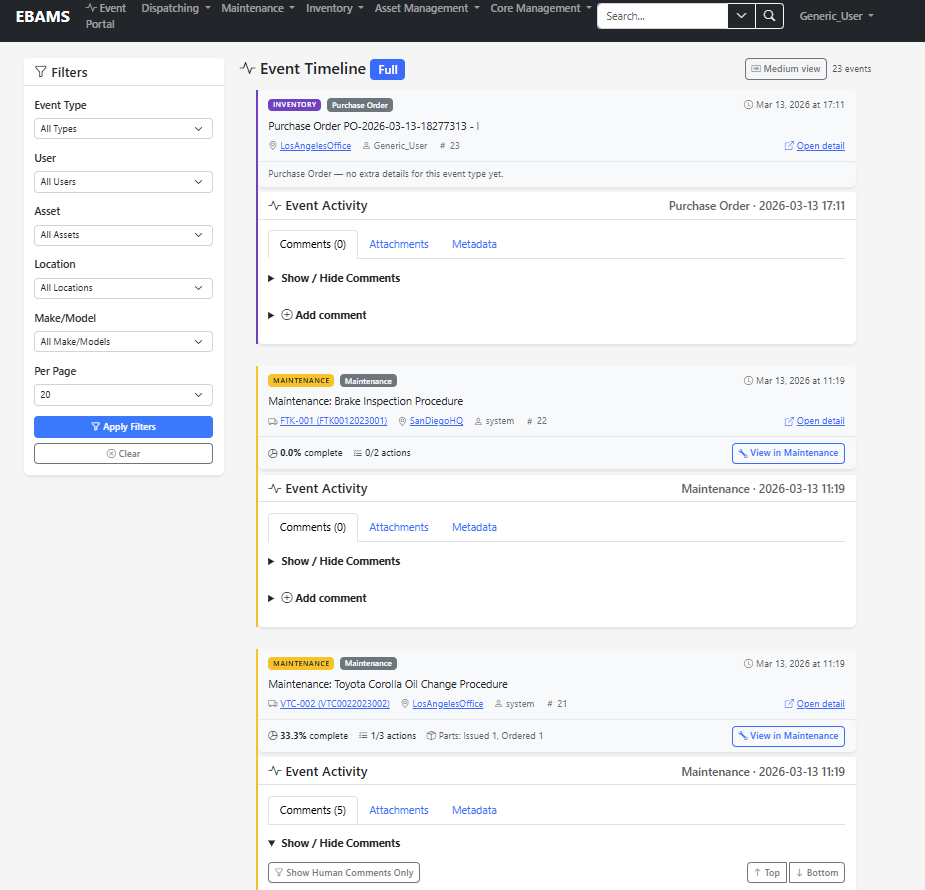
Event Timeline — Complete asset history in context
Core
Event-based record of everything that happens to an asset
Major asset events—dispatches, maintenance, part arrivals, installations, and more—roll into a single timeline so leaders read a story, not scattered logs. Comments and attachments sit alongside automated history, with clear separation between human context and system-generated audit entries.
Chronological narrative view for informed decisions
Comments, attachments, and human vs. automated differentiation
Foundation for users, locations, assets, and shared event infrastructure
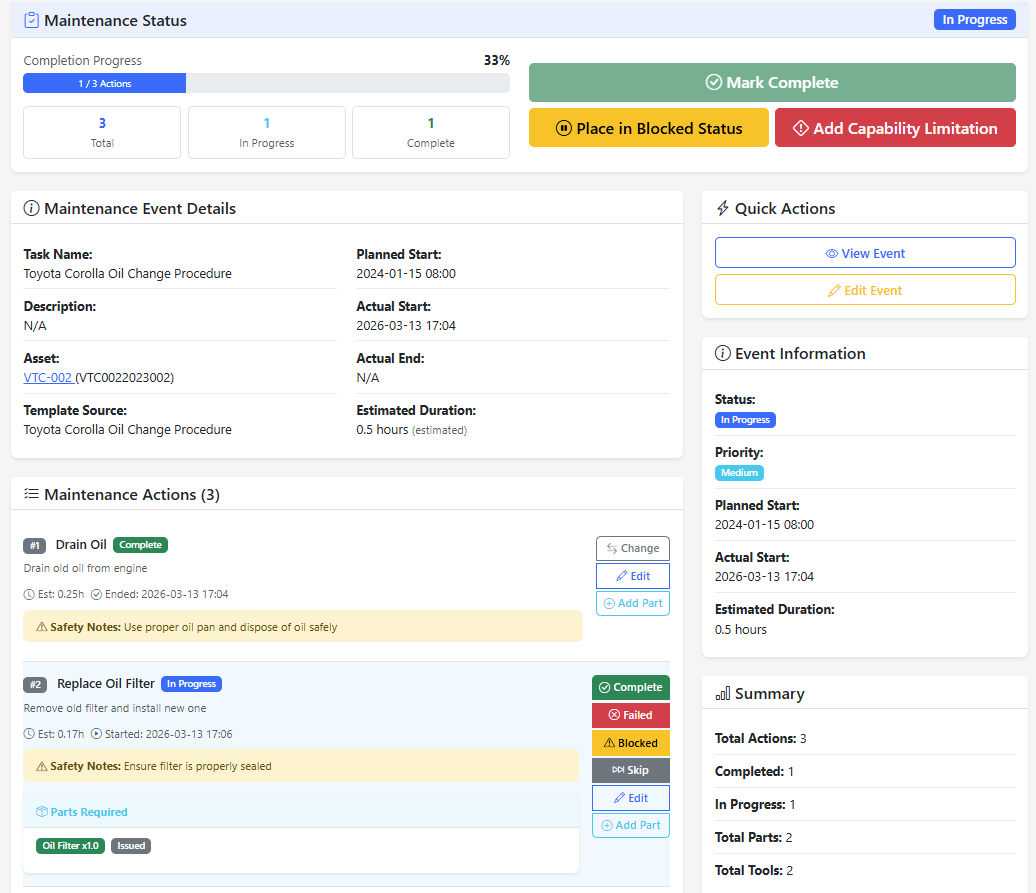
Maintenance Work Portal — Technician-focused execution interface
Maintenance
Intuitive execution, templates, and automated planning
The work experience is built for technicians to record outcomes reliably, including temporary changes and capability or limitation tracking. Planning can run on time, usage, or both. The module spans the work portal, template design, scheduled scans that surface overdue work, and integration with a technical library.
Visual, workflow-oriented work platform with action checklists
Automatic maintenance planning with conditional logic (time/usage)
Template builder for reusable procedures and proto-action libraries
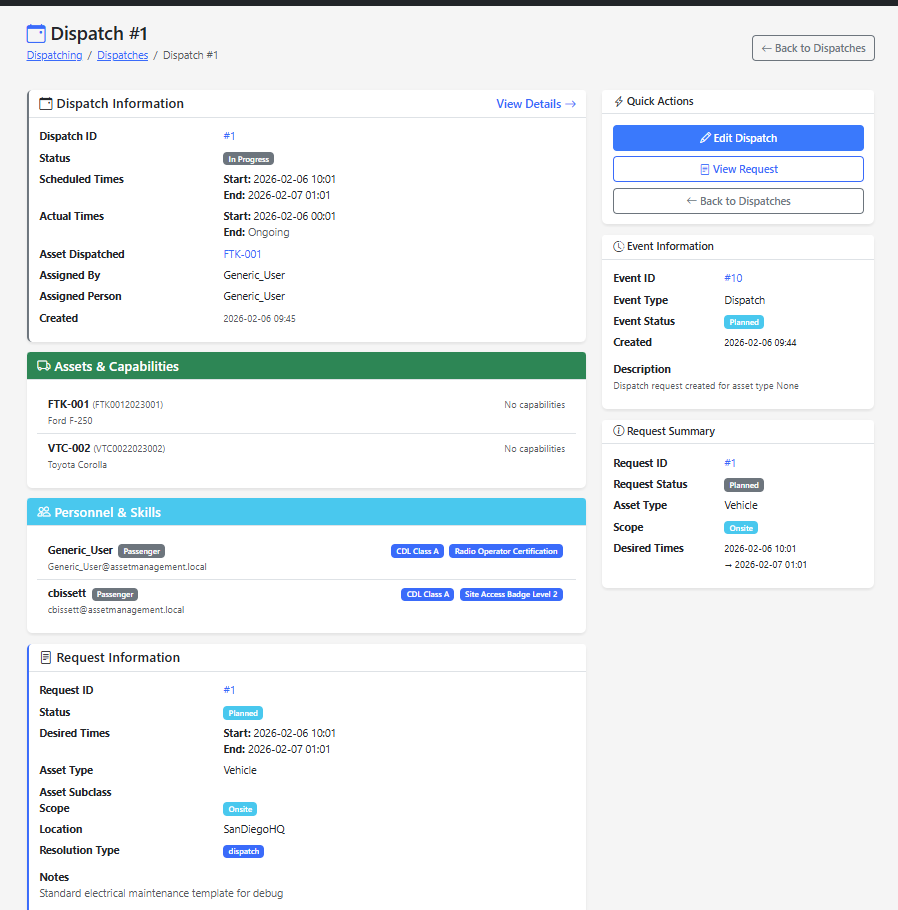
Dispatch Detail — Assets, capabilities, personnel, and request workflow
Dispatching
Requirements, matching, reservation, and outcomes in one flow
The process supports capability profiles for people and equipment, reusable requirement templates, and matching availability to mission needs before reserving assets and issuing equipment. The system ties together capabilities, skills, assets, parts, manifests, and outcomes such as alternatives or rejections through a consolidated dispatch experience.
Build and reuse requirement and capability profiles
Match personnel and equipment to mission constraints
Reserve, dispatch, and record structured outcomes from a focused UI
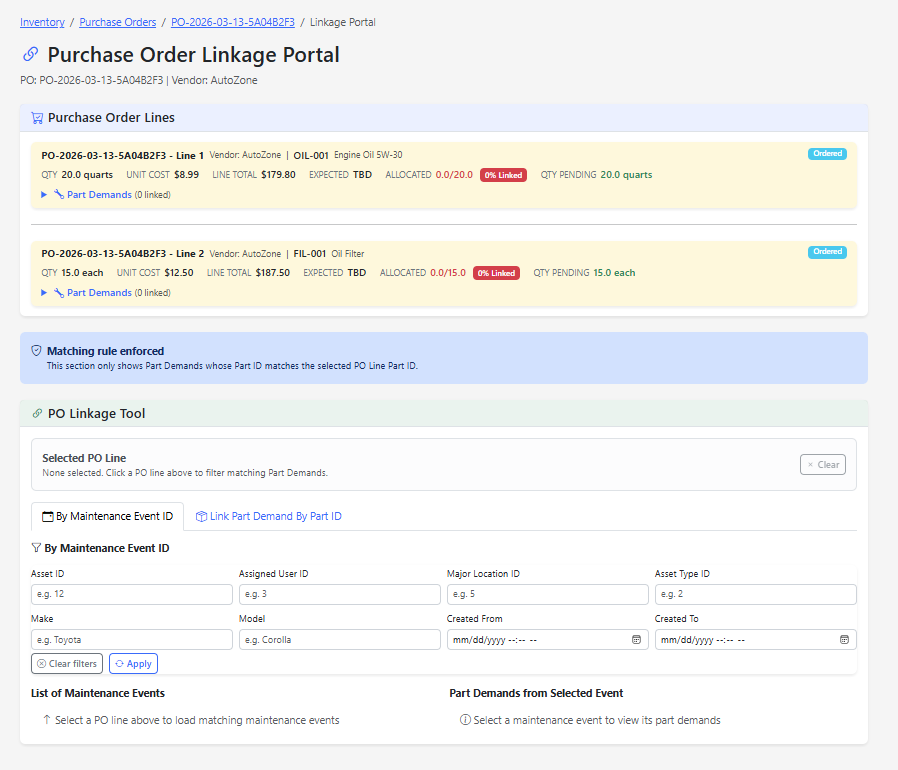
Purchase Order linkage — Connect demand from maintenance to purchasing lines
Part Demand Hub
One pipeline ties shop and field demand to purchasing
Maintenance and dispatch activities raise part demands that can be matched to purchase order lines, allocated, and tracked through approval and fulfillment. Linkage tools enforce part-level consistency so buyers and maintainers share the same truth from request through receipt.
Link PO lines to maintenance events and part demands by part ID
Filter and select demands against open purchase activity
Same demand thread for maintenance-driven and dispatch-driven needs
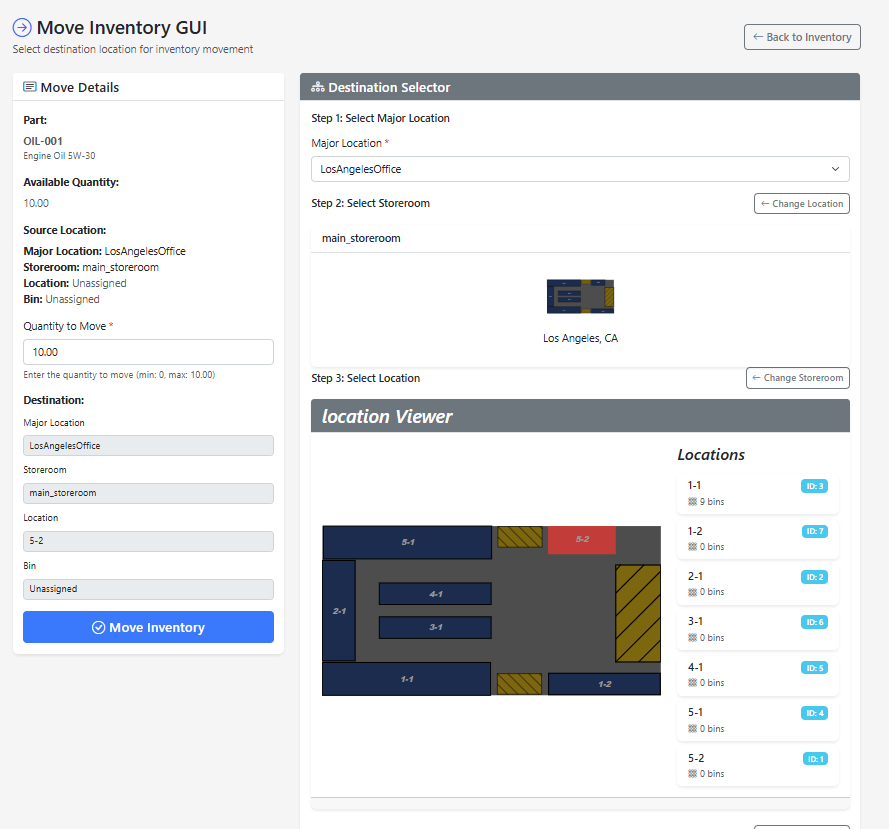
Move Inventory GUI — Visual warehouse layout and location selector
Inventory
From demand to PO, stocking, and issue—with honest status
Maintenance or dispatch drives part demand; demands connect to purchase orders; arrivals are received, stocked, and ultimately issued against demand. Visual tools expose how records link, including advance POs tied back to events as they appear. Multi-dimensional status covers approval, purchasing, and physical issue so informal picks can be detected and corrected. Layout imagery can be parsed into locations and bins for graphical stocking and finding parts.
Demand → PO → arrival → stocking → issue loop
Portal-style linkage and truth tracking for stock reality
Visual warehouse layout with graphical location assignment
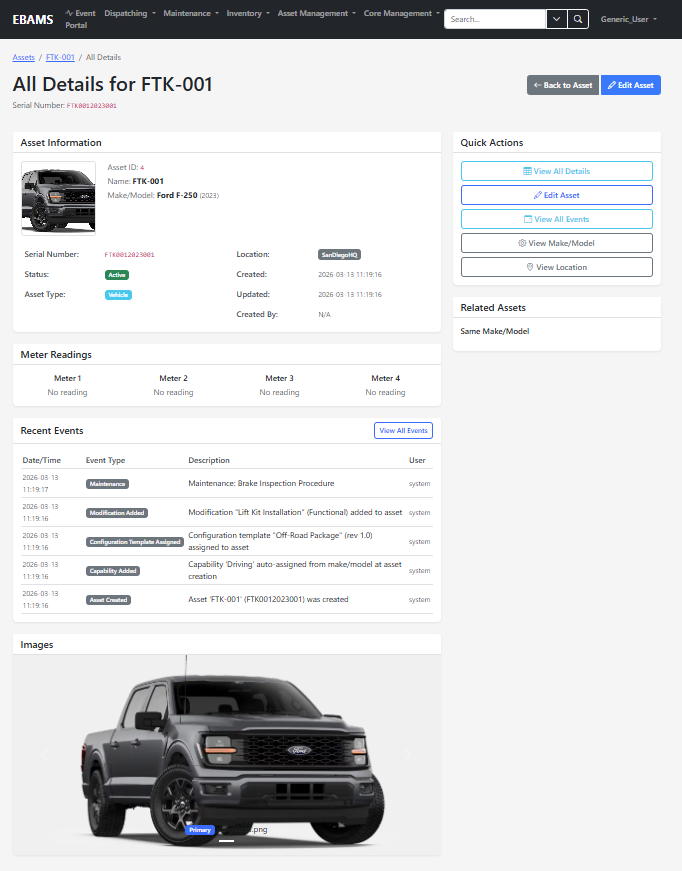
Asset detail — Meters, recent events, and rich asset-specific data
Asset Lifecycle
Modular detail tables for what each asset actually needs
Assets carry type, make, model, location, and status while modular detail tables and media capture the fields your operation cares about—without forcing every fleet into the same fixed schema. Recent events and meter readings stay on the same record so lifecycle context is always one click away.
Configurable detail and imagery per asset
Event history and capability or configuration changes in context
Extensible structure aligned to asset type and model
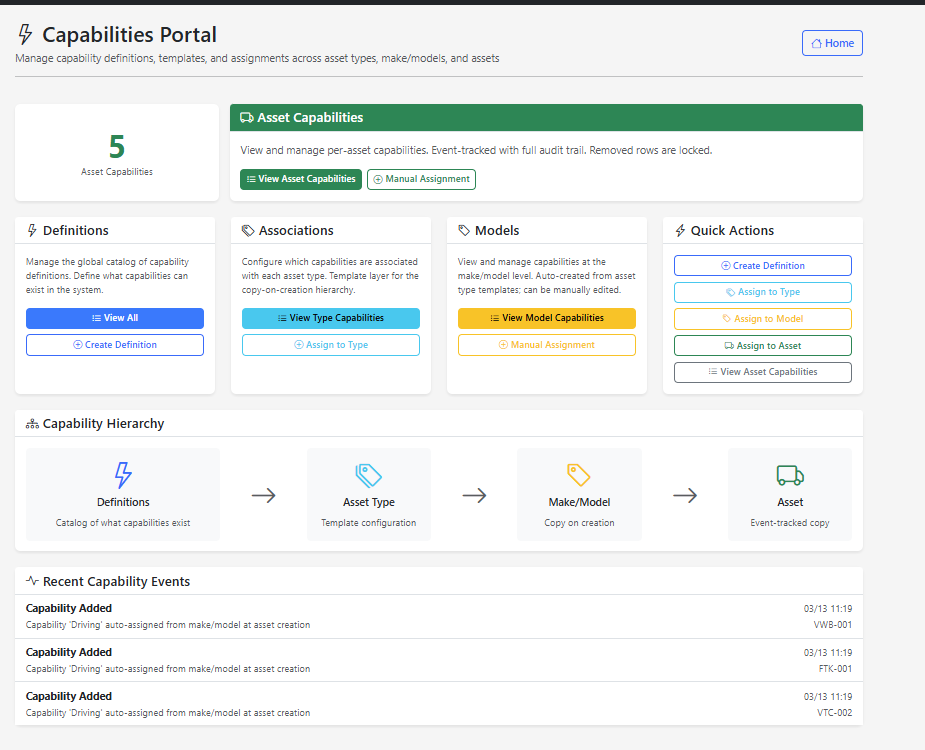
Capabilities Portal — Definitions, type associations, models, and assets
Configuration Management
Structure, capabilities, and limits for planning and dispatch
Configuration templates describe expected build and child relationships; capabilities inherit from definitions through asset type and make/model down to individual assets. That hierarchy supports dispatch and maintenance decisions with meaningful capability data—not an unstructured list of every possible attribute.
Templates for configuration shape and recursive child expectations
Capability definitions, type associations, and model-level assignments
Event-tracked changes with audit-friendly history
See EBAMS in action
Ready to streamline maintenance, inventory, and dispatch around a single asset story?